Training Season AI video from your favourite photo
Send your best photo and pick your version: the lyric edit, where your photo comes alive while the words land on the beat, or the rescue scene, where you pull yourself to safety on a wave-battered cliff. Your Training Season AI clip arrives by email within 48 hours.
Training Season AI videos people are sharing
A still photo that starts moving, the lyrics typed across it, the colour draining on the beat. The mountain version from @himawari_nuurilfathi has 2.4 million views on TikTok. Tap any Training Season AI clip to watch it with sound.
The lyric template, mountain set
Seaside version
Clips by the TikTok creators named on each card. View counts read on TikTok on October 13, 2026.
From one photo to your Training Season AI clip
AI Burning Bridges (aiburningbridges.net) makes Training Season AI videos for you: your own photo brought to life, with the lyric beats and the colour drop timed to the song. Each clip is HD, has no watermark and arrives by email within 48 hours.
Send a photo and your email
Your favourite full-length photo: travel, a night out, a view. One is enough, up to three gives us choices.
Pay once with Stripe
One flat price per clip. No subscription, no credits, no app to install.
Get your clip by email
We animate the photo, place the lyric words on the beat, add the colour drop, and a person checks every frame before it ships.
Solo
Your photo brought to life
- One person, from 1 to 3 photos
- Lyric beats and the colour drop
- HD MP4, 9:16 or 16:9, no watermark
- Every retry on us
- Delivered by email within 48 hours
Squad
Up to 4 people, a lyric line each
- Four people, 1 to 3 photos each
- One clip, cut on the lyric beats
- Vertical or wide HD MP4, no watermark
- Every retry on us
- Delivered by email within 48 hours
| Training Season AI, made for you | The one-photo template | |
|---|---|---|
| Who does the work | We do, from your photo | You find the template and run it |
| Movement | Natural: head, hair, clothes | One preset motion |
| People in one clip | Up to 4, a line each | 1 |
| Retries | On us until the face holds | One export each |
| Who checks it | A person, frame by frame, before it's sent | Automatic |
Your clip comes without the song, so you can add the official "Training Season" sound inside TikTok, Reels or Shorts.
Order your Training Season AI video
Photo, email, pay. You'll be on Stripe's secure checkout in under a minute.
- 48hYour Training Season AI video lands in your inbox within 48 hours of payment.
- FlatOne price per clip, solo or squad. No subscription, no credits.
- RefundLate, or clearly not what you asked for? Pick a full refund or one free redo.
- PrivateYour photos stay in private storage, are used only for your video and are deleted after 30 days.
Photos that work best
- Photo
- Full length or three-quarter, with some background: a view, a street, a room.
- Face
- Face visible and in focus. Looking away from the camera works too.
- Light
- Natural light, true colours, no heavy filters.
- Lyrics
- Want different words on screen? Tell us in the notes.
Order received
Your order number is . Mention it if you contact us.
- Taking you to secure Stripe checkout...
- After payment we start on your Training Season AI video right away.
- The MP4 arrives at within 48 hours.
Training Season AI, explained
What is the Training Season AI trend?
Training Season AI is a photo-to-video edit set to Dua Lipa's 2024 single "Training Season". A still photo comes alive with a small, natural movement, a head turn, hair in the wind, a pose shift, while the lyric words appear one by one on the beat and the colour drains to black and white and back. Most versions use a CapCut template from one photo. For example, the version from @himawari_nuurilfathi turns a mountain-side portrait into the edit, and the one from @.v28516 does the same on a seaside promenade. The best clips start from a photo with a strong setting. A second version, the Training Season AI rescue video, uses one photo for two of you: one in danger on a sea cliff or in a flooded subway, the other pulling you to safety and holding on. We make both versions.
Is it still a good time to post it?
We tracked the trend on Google Trends (web search, worldwide, past 30 days, read October 13, 2026). Searches for "training season ai" climbed from 8 on September 12 to a peak of 100 on September 20, then settled between 1 and 5 from September 28. The videos kept their audience: the mountain version from @himawari_nuurilfathi, posted on August 28, had 2.4 million views by October 13. The song itself came back in 2026: according to IBTimes, fans turned it into a manifestation anthem after Dua Lipa's engagement, and it returned to No. 6 on the Billboard Global 200 in early September, the same weeks the AI searches peaked.
What makes a Training Season AI video look right?
We measured the two clips above at 28 and 27 seconds, including their openers. Three things decide whether the edit feels premium or cheap. The movement must stay small and natural; a photo that suddenly turns and walks breaks the spell. The lyric words need to land exactly on the vocal, not a beat late. And the colour drop has to hit the same beat as the song's lift. Your face must stay sharp through all of it. A clean photo with a good background fixes most of it.
How much does it cost here?
One flat price per clip: $19.90 for one person, and $29.90 for up to four people in the same Training Season AI video, each with a lyric line. Every rerun, the frame-by-frame check, 9:16 or 16:9, and delivery within 48 hours are included. No subscription, no credits, nothing to install. If the finished clip clearly misses your brief, for example the wrong photo, you choose a full refund or one free redo.
Questions
How do I make the Training Season AI edit?
Send your favourite photo, pay $19.90, and we email you the finished Training Season AI clip within 48 hours.
What app is the Training Season trend made with?
Most creators use a CapCut template. Here you skip the app: send a photo, get the finished video by email.
What is the Training Season AI rescue video?
A version of the trend where one photo becomes two of you: one in danger, on a sea cliff, in a flooded subway or a frozen lake, and the other pulling you to safety. Say 'rescue' in the notes and we make that version.
Which photo works best?
A full-length or three-quarter photo with some background, a view, a street or a room, in natural light.
Can I change the words on screen?
Yes. Tell us the words you want in the notes, and we place them on the beat.
Can my friends be in it?
Yes. Choose Squad and send photos of up to four people. Each gets a lyric line in the same clip.
How long is the video?
About 20 seconds, in HD. You get 9:16 for TikTok and Reels, or 16:9 on request.
Does it include the Training Season song?
Your clip comes without music so you can add the official "Training Season" sound inside TikTok, Instagram Reels or YouTube Shorts.
How long does it take?
Your video arrives within 48 hours of payment, by email from hello@aiburningbridges.net.
What if it doesn't look like me?
Reply to the delivery email. If the clip clearly misses your brief, you choose a full refund or one free redo.
Can I use a photo of a celebrity?
No. We make these videos only of you and people who agreed to be in it.
Do I need to label it as AI when I post?
Yes. TikTok, Instagram and YouTube ask creators to label realistic AI-generated video. Turn on the AI-generated label when you post.
More AI video trends we make
Same flat price, same 48-hour delivery, same check by a person before anything is sent.
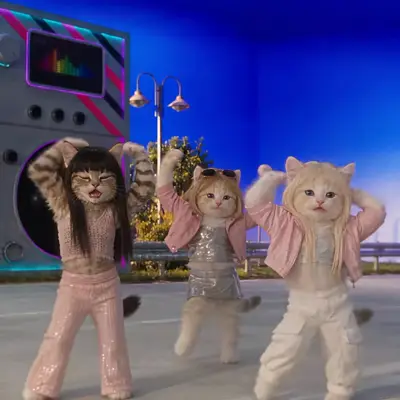 Toz Pembe AI
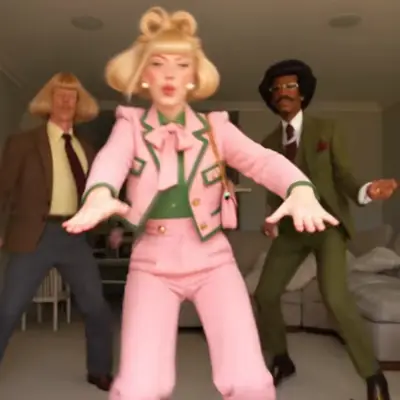 Layoo AI
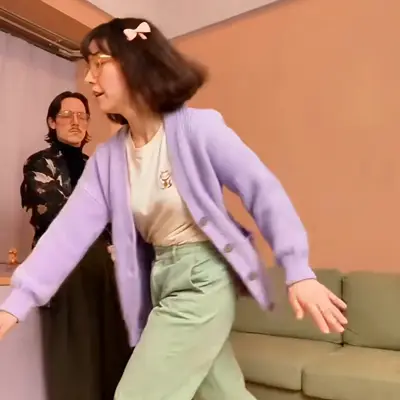 Wipe Me Down AI
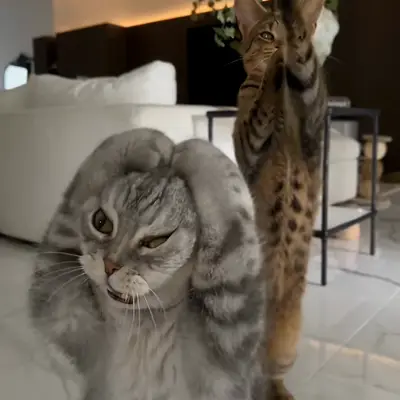 Smalltown Boy AI